


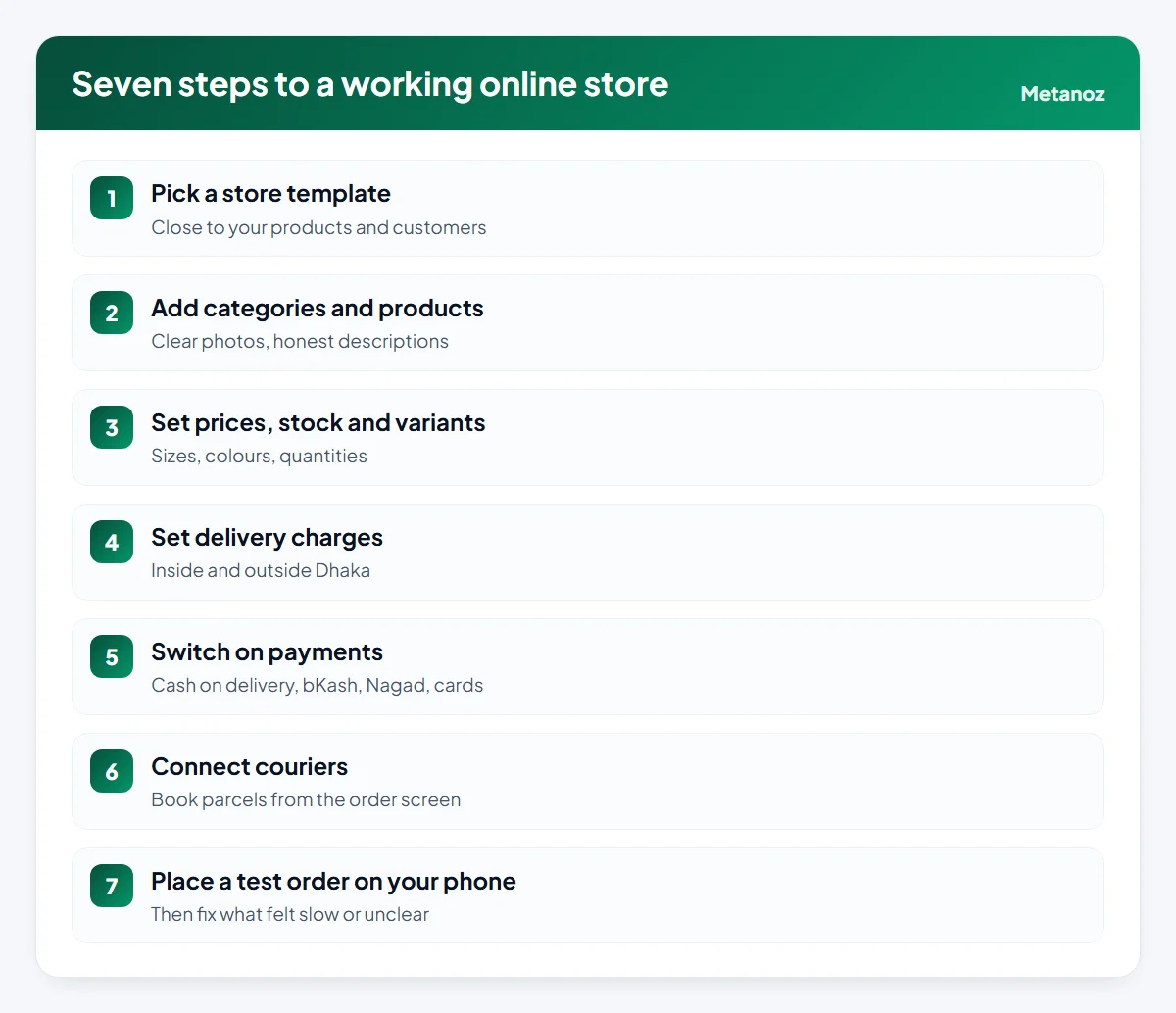
To build an ecommerce website in Bangladesh, follow seven steps: pick a store template, add categories and products, set prices, stock and variants, set delivery charges for inside and outside Dhaka, switch on cash on delivery plus bKash, Nagad or card payments, connect a courier, and place a real test order on your phone. On a website builder made for Bangladesh this takes a day or two and no code; a custom-built store takes weeks and costs considerably more.
See how to build an online store on Metanoz.
Many shops in Bangladesh start on Facebook and reach a point where the inbox cannot keep up: the same price questions, addresses typed wrongly, payments to match by hand. A proper online store fixes most of that. This guide walks through the whole setup in the order that works, with the decisions specific to Bangladesh: cash on delivery, mobile wallets, delivery zones and couriers. The steps apply to most platforms; where we show screens and settings, they are from Metanoz, the builder we make.
In this article
What you need before you start
- A product list: names, prices, sizes or colours, and how many you have in stock. A simple spreadsheet is enough.
- Photos: at least two clear photos per product, taken in daylight on a plain background.
- Delivery plan: which courier you use (or will use), what you charge inside and outside Dhaka, and how many days delivery takes.
- Payment numbers: the bKash and Nagad numbers customers should pay into, and, if you want automatic card payments, a merchant account with a gateway such as SSLCommerz.
- Policies: return, refund and exchange rules in plain words.
- A domain (optional at first): you can start on a free address such as
yourshop.metanoz.comand connect your own domain later.
If you are still deciding whether to sell online at all, or what to sell, start with our guide to starting an online business in Bangladesh. If you are choosing between platforms, our comparison of e-commerce platforms for Bangladesh covers the options.
Step 1: Choose a store template
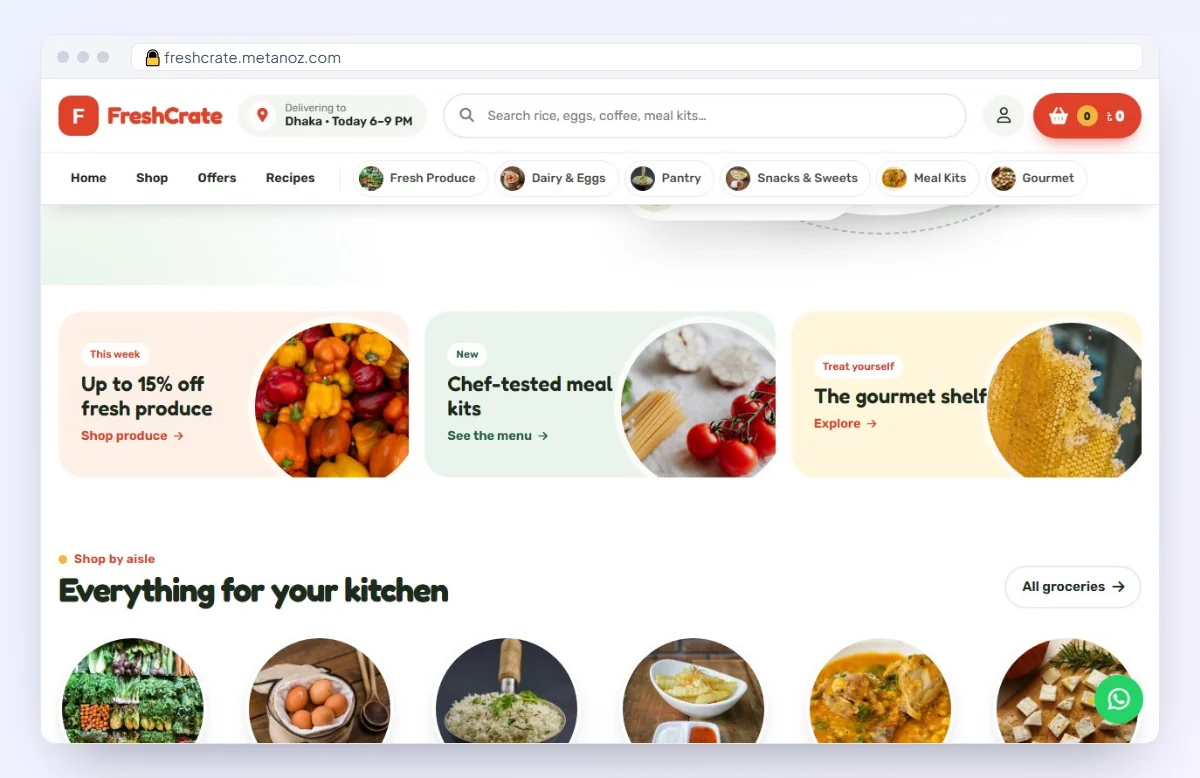
Pick a template built for an online store, closest to what you sell: fashion, grocery, books, electronics, beauty or a single product. A good store template already has a product grid, search, cart, checkout and the usual pages. Change the logo, colours and banner text, but do not redesign everything on day one; a clean, familiar layout sells better than a clever one.
On Metanoz there are 58 online-store templates and 9 single-product or funnel templates. You can switch template later without losing your products.
Step 2: Add categories and products
Create a few clear categories first (for example "Women's kurti", "Men's panjabi", "Kids"). Customers browse by category, and category pages are also what people often find on Google. Then add products:
- Title: what it is, plus the detail people search for: "Cotton three-piece, block print, free size".
- Description: material, size, care, what is in the box, delivery time. Short paragraphs or bullet points.
- Photos: same shape and background for every product, so the grid looks tidy.
The Metanoz help article on adding products shows each field. The Metanoz AI chat in the admin can also add products for you if you describe them in Bangla or English; check every price before publishing.
Step 3: Prices, stock and variants
Set the selling price and, only if it is real, the previous price. Turn on stock tracking so a product shows as sold out instead of taking orders you cannot fill. If one product comes in several sizes or colours, add them as variants of one product rather than separate products, each with its own stock and, if needed, its own price.
Price for delivery and returns: before you set prices, include the cost of packaging, gateway charges on online payments, and the returns you expect on cash on delivery. A price that looks competitive but loses money on every returned parcel does not last.
Step 4: Delivery charges
Most shops in Bangladesh charge one rate inside Dhaka and a higher rate outside Dhaka, sometimes with a free-delivery threshold. In Metanoz this is under Admin → Settings → Shipping method: switch on the flat rate and enter the charge inside and outside Dhaka (the help article uses 70 and 130 taka as an example; set your own based on your courier's rates). At checkout, the right charge is added as soon as the customer picks their area. See the help article on setting delivery charges.
Step 5: Payments
Offer the ways your customers actually pay. For most shops in Bangladesh that means three options:
- Cash on delivery: still what many first-time buyers trust most.
- bKash and Nagad to your number: the customer sends money and enters the transaction ID (TrxID) at checkout; you check it in your own app and mark the order Paid. On Metanoz the money goes straight to your number and Metanoz takes no commission.
- Automatic online payments: connect your own SSLCommerz merchant account (Store ID and password) for cards, mobile wallets and bank payments. Metanoz tests the connection when you save and verifies every payment with SSLCommerz, server to server, before an order is marked Paid. Gateway charges are set by SSLCommerz; confirm them with the provider.
Selling to customers abroad as well? The International Payments app takes Stripe and PayPal payments into your own accounts (whether you can open them depends on each company's country rules), alongside multi-currency prices and international shipping rates. Our guide to selling abroad from Bangladesh covers the rest.
Step 6: Couriers
Retyping every address into a courier's panel is slow and causes mistakes. If you have a Pathao or Steadfast merchant account, enter its API details in the shipping settings and you can send an order to the courier straight from the order screen. Other couriers can still be used by booking parcels in their own panel. Our guide to courier services in Bangladesh compares how they work.
Courier rates, cash-on-delivery handling charges and payout timings differ between couriers and change over time. Confirm them with the courier before you set your delivery charges.
Step 7: Place a test order
Before you announce the store, behave like a customer, on a phone, using mobile data:
- Open the store from a Facebook post link, as most of your customers will.
- Find a product by search and by category.
- Choose a variant, add to cart, and check out with an address outside Dhaka.
- Check that the delivery charge and total are right.
- Pay with each method once (cancel or refund afterwards), and check the order appears correctly in the admin.
- Send the test order to the courier, then cancel it there.
- Read the confirmation message or SMS the customer would receive.
Fix whatever felt slow or unclear. Then ask one or two friends to do the same and watch where they hesitate.
After launch: the first month
- Add a "Shop now" link to your Facebook page and share product links in posts instead of only photos.
- Confirm cash-on-delivery orders by phone or SMS to reduce fake orders and returns.
- Set up page titles and descriptions for your categories, and add your site to Google Search Console.
- Look at your numbers weekly: visits, orders, delivered orders and returns.
What it costs on Metanoz
The online store is part of the Business plan (contact us for pricing), paid monthly by bKash, Nagad or Rocket, with a 7-day free trial and no card needed. It includes products, orders, coupons, shipping and stock; Premium adds sales tools such as incomplete-order recovery and popups, CRM, a POS for an offline shop, and dropshipping. Your domain is bought separately from any seller. Details are on the pricing page.
When this is not the right setup: if most of your customers are abroad and pay by card, or you need deep integration with your own warehouse or accounting software, a platform with a larger international app ecosystem or a custom build may fit better.
Start your website today
Pick a template and a name; Metanoz sets up the rest. 7 days free, no card needed.
Start freeSee templatesFrequently asked questions
How long does it take to build an e-commerce website in Bangladesh?
On a website builder, most small shops can go live in one or two working days if products, photos and prices are ready. A custom-built store usually takes several weeks.
Do I need a trade licence to open an online store?
You can build the website and take cash on delivery or bKash and Nagad to your number without one. Payment gateways such as SSLCommerz, business bank accounts and some couriers usually ask for a trade licence.
Can I take bKash payments automatically?
Through a payment gateway such as SSLCommerz, yes. Without a gateway, customers send money to your number and enter the TrxID, and you confirm the payment before marking the order Paid.
How should I set delivery charges?
Start from your courier's rates for inside and outside Dhaka, add packaging and the cost of returns, and round to a simple number. Many shops also offer free delivery above a certain order value.
Can I start without my own domain?
Yes. Start on a free address like yourshop.metanoz.com and connect your own domain later; the old address keeps working.
Can I move my products from Facebook to the website?
Products have to be added to the store, but you can reuse your best Facebook photos and descriptions. Start with your top-selling products and add the rest over time.
 অনলাইন ব্যবসা শুরু করার নিয়ম: শূন্য থেকে প্রথম অর্ডার পর্যন্ত (২০২৬)
 Selling Abroad from Bangladesh: Payments, Shipping, Currency and Language
 অনলাইনে পোশাকের ব্যবসা শুরু: সোর্সিং থেকে সাইজ চার্ট পর্যন্ত