


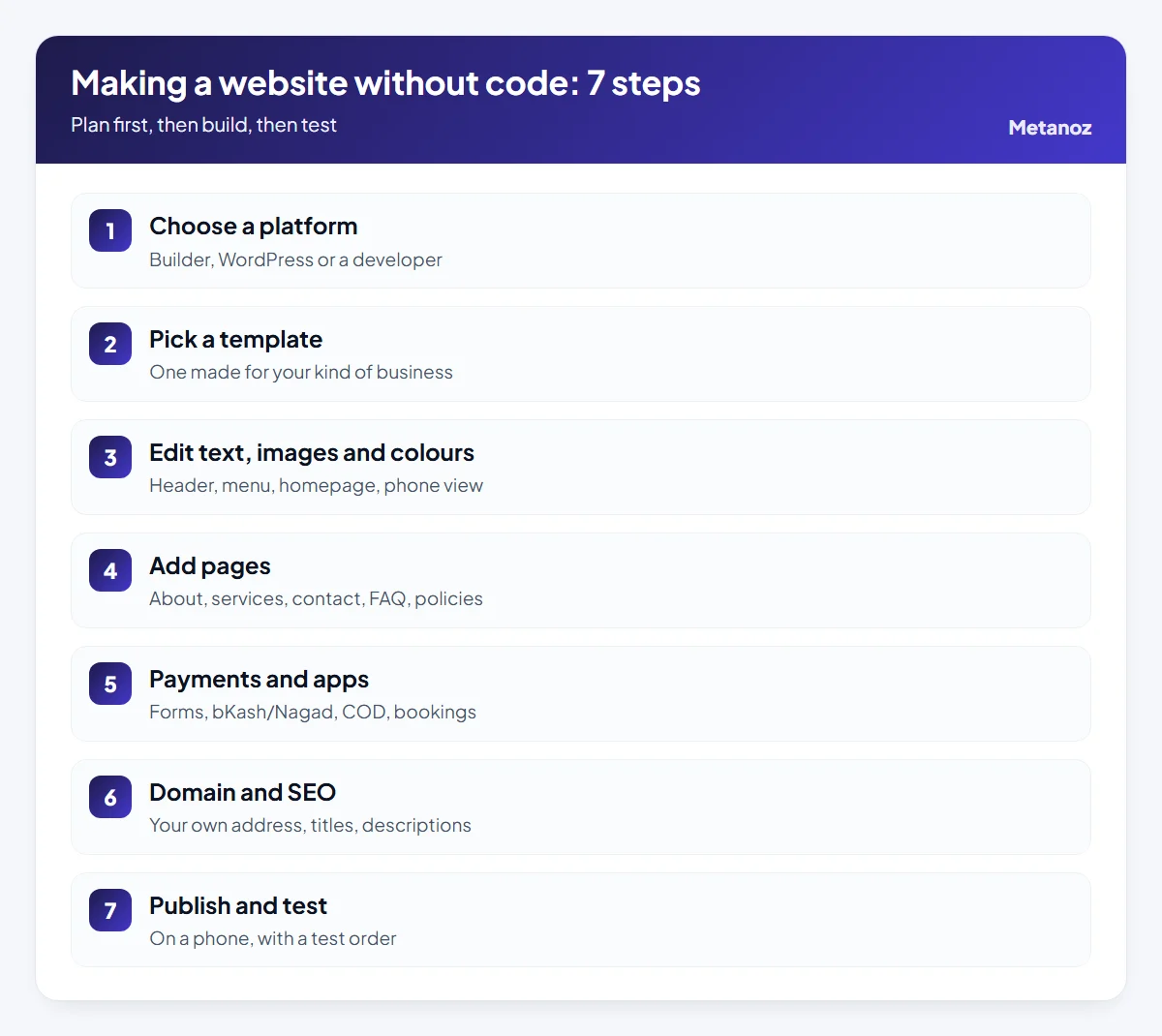
To make a website in Bangladesh without coding: 1) choose a website builder, 2) pick a template made for your type of business, 3) replace the text, images and colours with your own, 4) add the key pages (about, services or products, contact, FAQ, policies), 5) switch on contact forms, bookings or payments such as bKash, Nagad and cash on delivery, 6) connect your own domain and fill in page titles and descriptions, and 7) test everything on a phone and publish. With your content ready, a simple business site can go live in a day or two.
For the full walkthrough, read our step-by-step guide to making a website.
A few years ago, a website meant hiring a developer, waiting weeks and paying a large bill. Today most small businesses in Bangladesh can make a website themselves on a website builder: you start from a ready design, click on any part to change it, and the hosting, security and updates are handled for you. This guide walks through each step in order, with the details that matter here: Bangla text, local payment methods, delivery inside and outside Dhaka, and getting your own domain. If you prefer to read in Bangla, the same process is covered in our Bangla guide to making a website without coding.
In this article
Before you start
Most time is lost not on design but on starting before decisions are made. Spend twenty minutes on paper first and answer three questions:
- What should the website do? Take orders, get phone calls or bookings, or simply show that you are a real, trustworthy business? Pick one main goal. Every page should lead to it.
- Who will visit? Young shoppers in Dhaka, parents in a district town, or Bangladeshis living abroad? This decides the language (Bangla, English or both), how you show prices and which payment methods you need.
- Which pages do you need? For most small businesses: home, about, services or products, contact, FAQ and policies. You can add more later.
Then collect your material in one folder: your logo (a plain name works for now), address and phone number, 10–20 good photos of your own products or premises, a list of services or products with prices, and the questions customers ask you most often on the phone or in Facebook Messenger. With this ready, the building itself moves quickly.
Step 1: choose a platform
There are three common ways to get a website without writing code yourself:
| Option | How it works | Good for |
|---|---|---|
| Website builder | Ready templates, drag-and-drop editing; hosting and security included in the plan | Owners who want to launch fast and make changes themselves |
| WordPress (self-managed) | Free software, separate hosting, themes and plugins you maintain | People comfortable with technical upkeep |
| Hire a developer | Someone builds it for you to your brief | Complex or unusual requirements |
This guide follows the first option, because that is what most people mean by "without coding". When comparing builders, check a few Bangladesh-specific points: can you pay for the plan in taka (ideally by bKash or Nagad), does Bangla text display properly, can customers pay by bKash, Nagad and cash on delivery, and can you connect your own domain? Our longer guide on how to choose a website builder in Bangladesh goes through these in detail, and what a website costs in Bangladesh compares the money side of each route.
Step 2: pick a template
A template is a complete website design — colours, fonts, sections and pages already laid out. You replace the content with your own. Three rules for choosing one:
- Match your type of business. A restaurant template already has a menu and table booking; a school template has notices and admissions. Starting from the right type saves half the work.
- Judge the structure, not the photos. You will replace the demo photos. Look at where the sections are, how products or services are shown, and how the menu works.
- Open the demo on your phone. Scroll through it. Is the text readable? Are the buttons easy to tap?
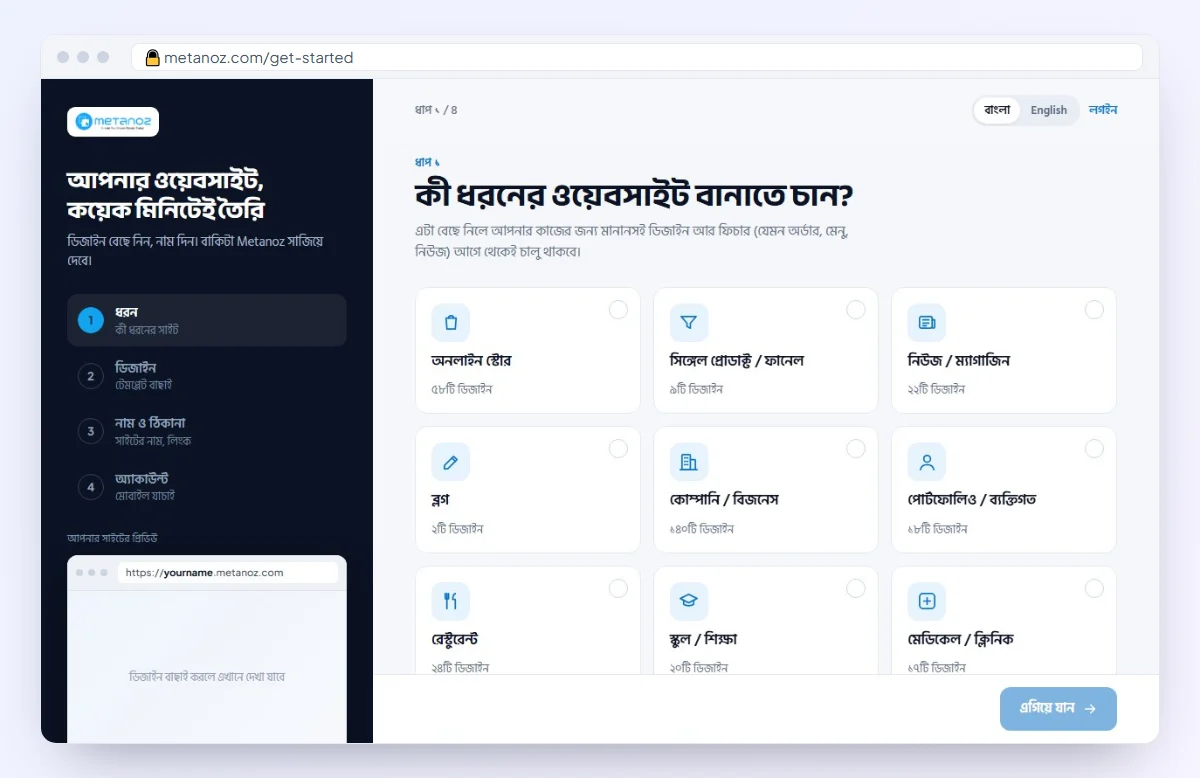
On Metanoz there are more than 320 templates across 10 kinds of business, including online shops, restaurants, schools, clinics, news sites, companies and portfolios, and you can switch templates later. Browse them in the template gallery.
Step 3: edit text, images and colours
Now make the template yours. In a builder you usually see the page itself; click on any part to change the text, image or colour. Work in this order:
- Header and menu first. Logo, five or six menu items at most (put the rest in the footer), and one main button such as "Order now" or "Call us". Use plain menu names — "Services", "Prices", "Contact".
- Then the homepage, top to bottom. One line on what you do and where, your three to six most popular services or products, a few true reasons to choose you, real customer reviews (with permission) and your contact details.
- Then the phone view. Most visitors in Bangladesh arrive from Facebook or Google on a phone. After each section, check it on the mobile view: text size, cropped photos, button size.
Delete or hide any template section you do not need. Fewer sections are far better than leaving demo text in place. Take your main colour from your logo and keep to two or three colours across the site. To see how the editor works in practice, see the page builder features.
Step 4: add pages
Once the homepage is done, add the remaining pages:
- About: who you are, since when, where and why. Real photos of you or your shop build trust.
- Services or products: a clear description of each, with a price, a price range or "call for a quote".
- Contact: phone (tap to call), WhatsApp, address, a map link, opening hours and a short form.
- FAQ: the questions you answer every day — delivery time, areas you serve, payment, returns.
- Policies: privacy, refunds and returns, and terms — essential if you take orders or payments online.
Many builders let you add these common pages ready-made; on Metanoz, pages such as About, Contact and FAQ can be added in one click and you only fill in your details. For a fuller list of what different businesses need, read what a small business website in Bangladesh needs.
Step 5: payments and apps
A website should turn visitors into customers, so switch on at least one way for them to act, matched to your goal:
- Service or company site: a contact form, a quote request form, and call or WhatsApp buttons.
- Online shop: products, a cart, delivery charges (usually one rate inside Dhaka and another outside), and payment by bKash, Nagad and cash on delivery. For card payments, a gateway such as SSLCommerz needs its own merchant account; check the papers and fees with the provider.
- Restaurant, clinic, coaching centre: table booking, appointments or an admission form.
The simplest way to take bKash or Nagad is a personal or merchant number shown at checkout: the customer sends money and enters the transaction ID (TrxID), and you check it in your own app before confirming the order. On Metanoz this is set in Admin → Settings → Payment method, the money goes straight to your number and Metanoz takes no commission. You do not need every feature on day one — loyalty points, email campaigns or live chat can wait.
Step 6: domain and SEO
Builders usually give you a free address to start with (on Metanoz, yourname.metanoz.com). That is fine for building and testing, but a business is more credible on its own domain, such as yourshop.com or yourshop.com.bd.
- Buy the domain in your own name from any domain registrar. If you ever change platform, the address stays yours. (Metanoz does not sell domains.)
- Connect it to your site. On Metanoz, go to Admin → Website → Connect domain, then copy the DNS records shown there into your registrar's panel. The team verifies it; DNS can take up to 24 hours, and https switches on automatically. The step-by-step version is in the help guide to connecting your domain.
- Fill in the basic SEO. Give every important page a title and a short description using the words customers actually type into Google — for example "cake delivery in Mirpur", in Bangla if that is how your customers search. Add alt text to images.
After publishing, add the site to Google Search Console and submit your sitemap so Google finds every page.
Step 7: publish and test
Before you share the link, use the site as a customer would:
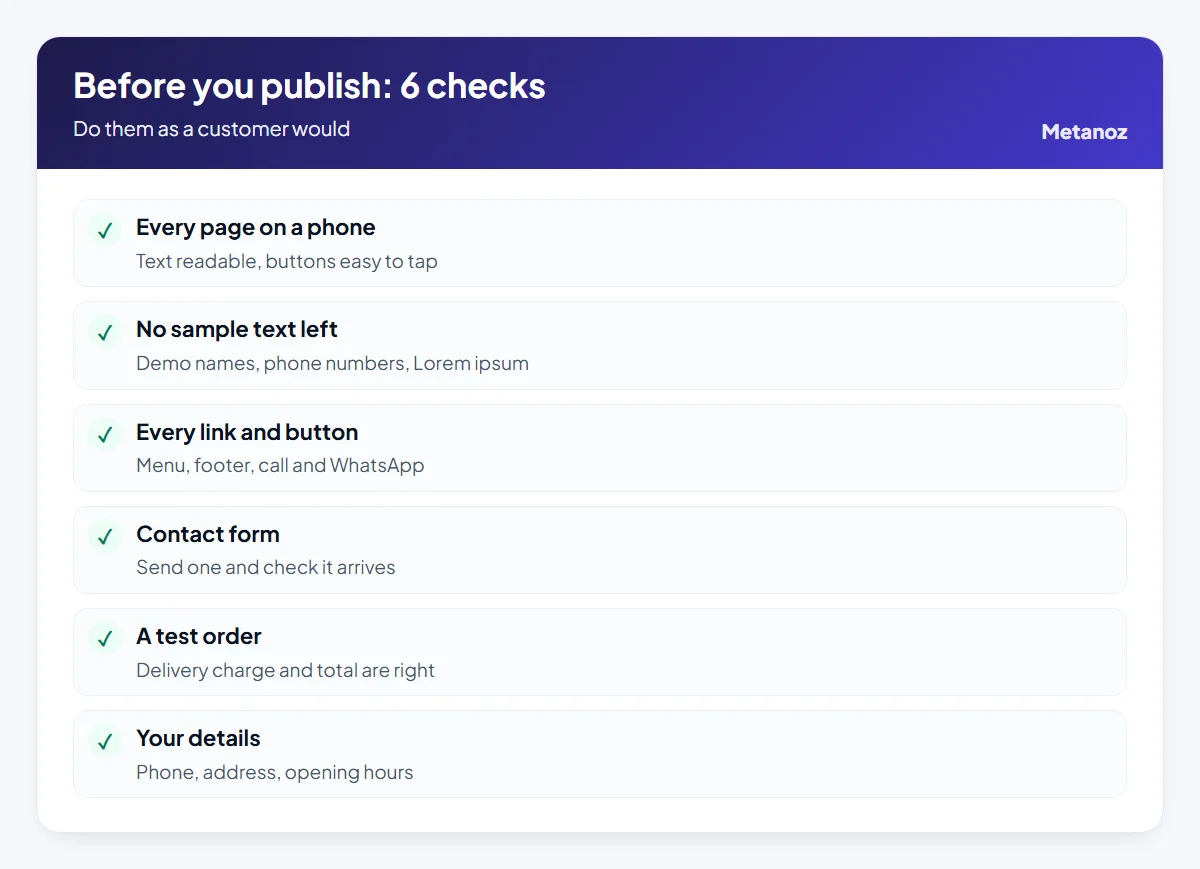
Ask one or two people you trust to try it too — it is hard to spot your own mistakes. When everything works, publish, then add the website address to your Facebook page, WhatsApp profile, visiting cards and shop signboard. Take a backup before any big change later; good builders let you back up and restore in one click.
Common mistakes to avoid
- Trying to launch everything at once. Twenty pages and every feature means the site never goes live. Publish five or six good pages and grow from there.
- Leaving demo content. Sample names, phone numbers or English placeholder text make a site look untrustworthy.
- Checking only on a computer. A layout that looks fine on a laptop can break on a phone.
- Using photos from the internet. They risk copyright problems and do not show your real products.
- Registering the domain in someone else's name. If a developer or friend owns it, you may struggle to get it back.
- Forgetting the site after launch. Old prices, expired offers and wrong opening hours damage trust. Review it at least once a month.
What to do next
Today, write down your goal and page list and gather your photos and details in one folder. Then try a builder on a free trial with your own content and see how it looks. On Metanoz you choose the type of site, a design, a name and create your account, and the site is ready to edit; the first 7 days are free with no card required. After that, contact us for plan pricing, payable by bKash, Nagad or Rocket (see the pricing page). The create-your-website help guide shows each step with screenshots.
When doing it yourself is not the right choice: if you need custom software that no builder offers, or you truly have no time, it is better to hire someone experienced. Metanoz also offers done-for-you setup and an optional Digital Care service where the team looks after the site for you.
Start your website today
Pick a template and a name; Metanoz sets up the rest. 7 days free, no card needed.
Start freeSee templatesFrequently asked questions
Can I really make a website without knowing how to code?
Yes. On a website builder you change text, images and colours by clicking on them, and you arrange sections by dragging. If you can post on Facebook, you can learn it; it just takes a little patience the first time.
Can I make a website using only my mobile phone?
Partly. Editing text, adding products and checking orders work on a phone. For the first full design, a laptop or computer makes the work much easier because you see more of the page at once.
How long does it take to make a business website?
With text, photos and details ready, a simple five- or six-page business site can be live in a day or two. An online shop takes longer depending on how many products and photos you have.
Do I need to buy a domain before I start?
No. Most builders let you start on a free subdomain and connect your own domain later. It is still wise to buy your preferred name early, before someone else takes it.
Can my website be in Bangla and English?
Yes, if the builder supports both. Write in the language your customers use; for local customers simple Bangla usually works best, with an English version if you also serve buyers abroad or corporate clients.
How much does it cost to make a website in Bangladesh?
It depends on the route. On a builder you pay a monthly plan plus your domain; with a developer you pay a build fee plus hosting and upkeep. Our website cost breakdown for Bangladesh compares typical, approximate amounts as of October 2026.
 ওয়েবসাইট বানাতে কত খরচ? ২০২৬ সালে বাংলাদেশে পূর্ণ হিসাব
 Website Builder in Bangladesh: How to Choose the Right One (2026 Guide)
 Small Business Website in Bangladesh: What It Needs and What It Costs