LIVE NOW
🏆 Metanoz উদ্যোক্তা ২০২৬ — ১০ জন বিজয়ী পাবেন মোট ৳৫,০০,০০০ এর সুবিধা সম্পূর্ণ বিনামূল্যে 🏆 Metanoz Udyokta 2026 — 10 winners get ৳5,00,000 worth of services Absolutely FREE
শুরু করুন

Add an NS record - Google Domains

September 13, 2023

Add an NS record - Google Domains

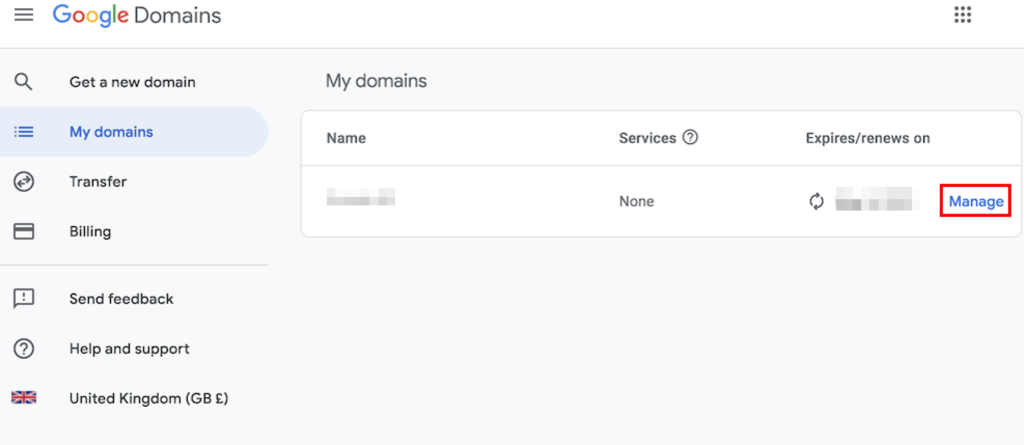
With Google Domains, open the main dashboard, and select the My domains section:

  1. Hit the Manage button next to your domain.

The My domains section on the Google Domains page. The Manage button near a domain is highlighted

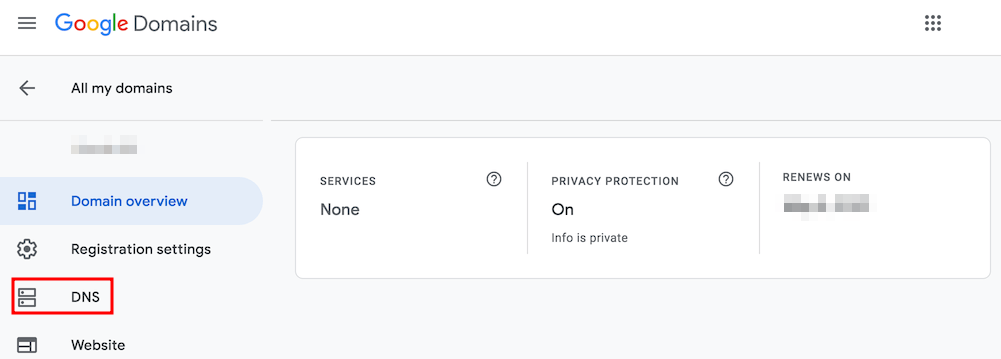
  1. Next, navigate to the DNS page.

The Google Domains page. The DNS section button is highlighted

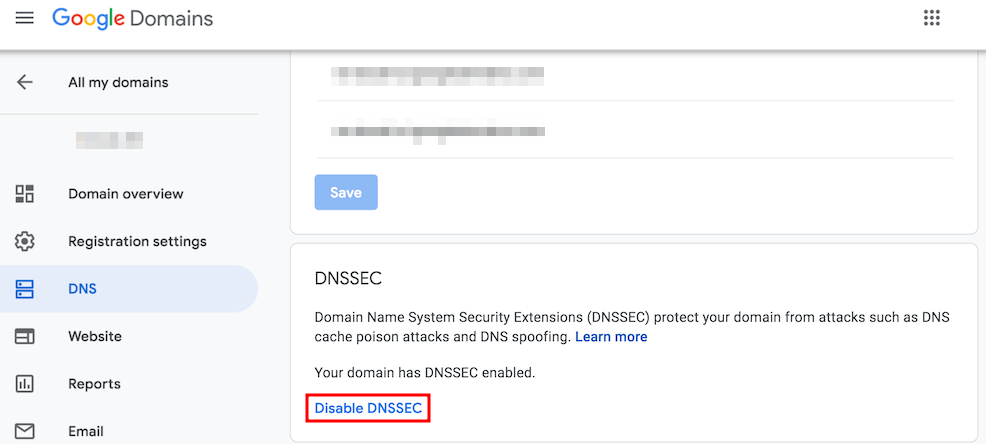
  1. On the DNS page, click the Disable DNSSEC button. This step is necessary to change nameservers successfully.

The DNS section on the Google Domains page. The Disable DNSSEC button is highlighted

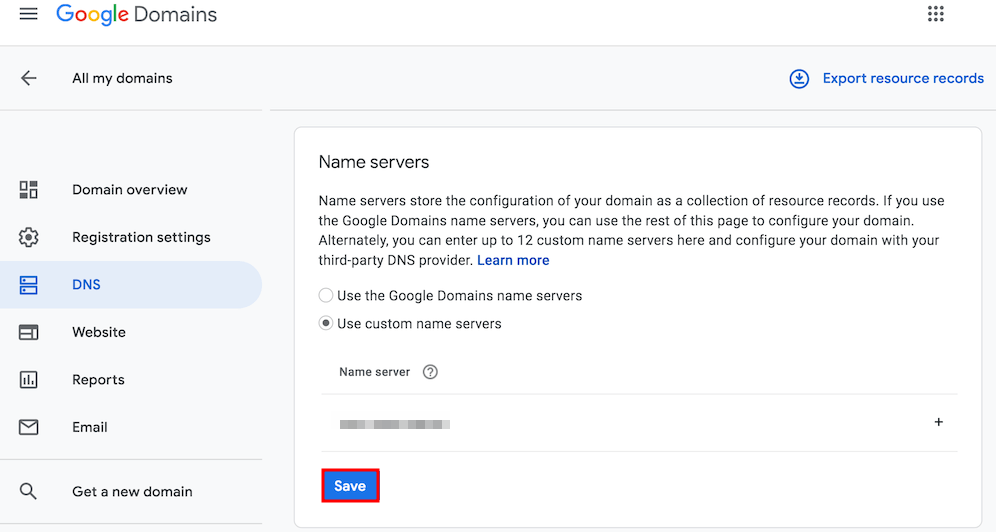
  1. With DNSSEC disabled, find the Name servers section and add the new nameservers. Once done, click Save.

The DNS section on the Google Domains page. The Save button under Name servers section is highlighted

💬 প্রশ্ন থাকলে চ্যাট করুন! 💬 Ask Metanoz AI!

মেটানোজ এআই অ্যাসিস্ট্যান্ট Metanoz AI Consultant

অনলাইন (আপনাকে সাহায্য করতে প্রস্তুত) Online (Ready to help)

স্বাগতম! 😊 আমি মেটানোজ এআই অ্যাসিস্ট্যান্ট। আপনার ব্যবসাকে অনলাইনে নিয়ে যাওয়ার জন্য আজ কীভাবে সাহায্য করতে পারি?
Welcome! 😊 I am the Metanoz AI Consultant. How can I help you grow your business online today?