

অ্যাপস: ফিচার চালু ও বন্ধ করাApps: switching features on and off
অনলাইন শপ, বুকিং, কোর্স, CRM, লয়্যালটি… সব Admin → Apps-এ।Online shop, bookings, courses, CRM, loyalty… all in Admin → Apps.

হালনাগাদUpdated:
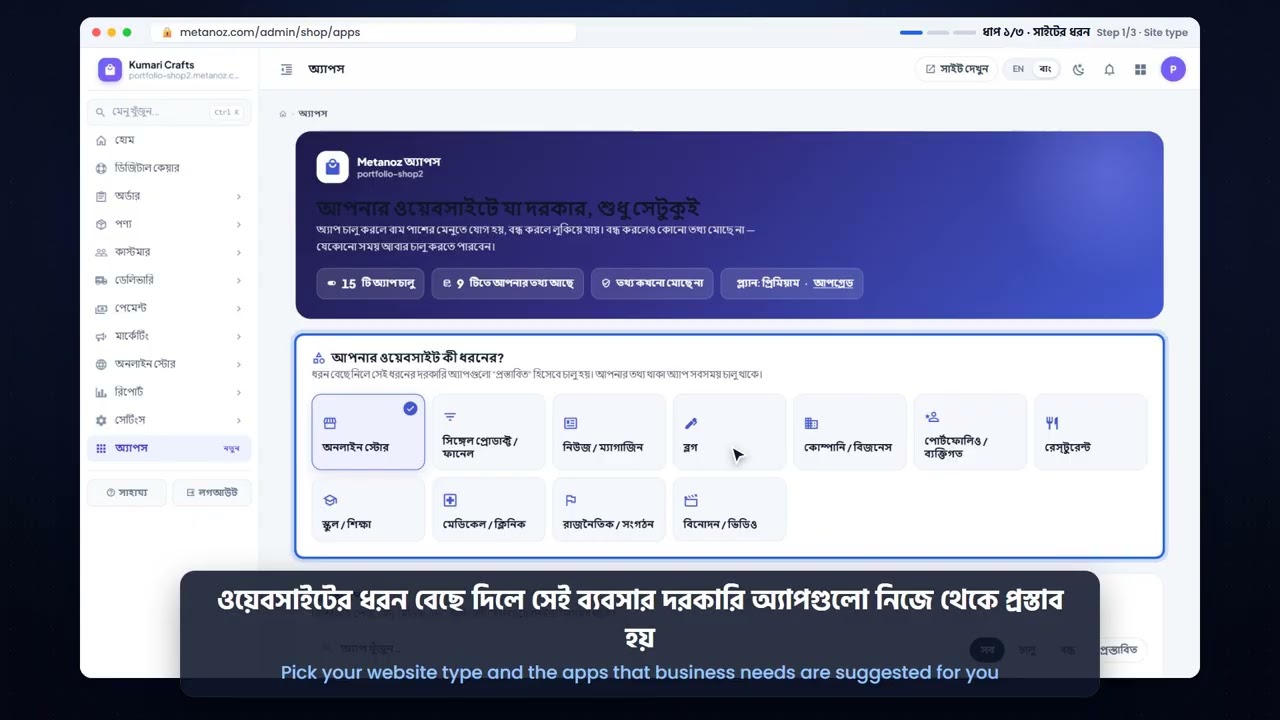
Metanoz-এর প্রতিটি বড় ফিচার একটি "অ্যাপ"। আপনার সাইটের যেগুলো দরকার শুধু সেগুলো চালু রাখুন, প্যানেল পরিষ্কার থাকবে।
- Admin → Apps খুলুন। অ্যাপগুলো বিভাগ অনুযায়ী সাজানো (বিক্রি, কনটেন্ট, ব্যবসা, মার্কেটিং…)।
- যে অ্যাপ চান তার সুইচ চালু করুন। কিছু অ্যাপ অন্য অ্যাপের ওপর নির্ভর করে; সেটিও সাথে চালু হয়ে যায়।
- চালু করা অ্যাপ সাইডবারে "MY APPS"-এর নিচে দেখা যায়। সেখান থেকে সেটআপ করুন।
অ্যাপ বন্ধ করলে শুধু লুকানো হয়; কোনো তথ্য মুছে যায় না। আবার চালু করলে সব আগের মতো পাবেন।
কোনো অ্যাপে তালা চিহ্ন থাকলে সেটি উঁচু প্ল্যানে আছে। কোন প্ল্যানে কী আছে তা মূল্য পেজে দেখুন।
Every larger feature in Metanoz is an "app". Keep on only what your site needs and your panel stays tidy.
- Open Admin → Apps. Apps are grouped by area (selling, content, business, marketing…).
- Switch on the app you want. If it needs another app, that one is switched on with it.
- Apps you switch on appear in the sidebar under "MY APPS". Set them up from there.
Switching an app off only hides it; nothing is deleted. Switch it on again and everything is back.
A lock on an app means it is part of a higher plan. See what each plan includes on the pricing page.
এই আর্টিকেলটি কি কাজে লেগেছে?Was this article helpful?
আরও সাহায্য দরকার?Need more help? আমাদের টিমের সাথে মিটিং বুক করুনBook a meeting with our team